 96fit
Reach
96fit
Reach
College of the Holy Cross
Worcester, Massachusetts. Private.
~30% estimated chance for Maya. 18% admitted overall.
Your SAT falls inside the school's reported SAT range.
CampusFit is an iPhone app for high-school students. Answer a few questions about your grades, goals and budget, and get a college list sorted into Likely, Target and Reach.
The survey is free and needs no account. Seeing your list needs CampusFit Premium: what it costs.
96fit
Reach
Worcester, Massachusetts. Private.
~30% estimated chance for Maya. 18% admitted overall.
Your SAT falls inside the school's reported SAT range.
 96fit
Likely
96fit
Likely
Milwaukee, Wisconsin. Private.
~90% estimated chance for Maya. 81% admitted overall.
Your SAT falls inside the school's reported SAT range.
 94fit
Target
94fit
Target
Wooster, Ohio. Private.
~70% estimated chance for Maya. 60% admitted overall.
Your SAT falls inside the school's reported SAT range.
Gettysburg, Pennsylvania. Private.
~45% estimated chance for Maya. 39% admitted overall.
Your SAT falls inside the school's reported SAT range.
Washington, District of Columbia. Private.
~8% estimated chance for Maya. 13% admitted overall.
Campus size matches your preference (medium-sized, 7,569 undergraduates).
Collegeville, Pennsylvania. Private.
~95% estimated chance for Maya. 92% admitted overall.
Your SAT falls inside the school's reported SAT range.
Hartford, Connecticut. Private.
~35% estimated chance for Maya. 29% admitted overall.
Your SAT falls inside the school's reported SAT range.
That's the sample.
In the app the list is yours: built from your own answers, out of 1,771 colleges.
This is a sample: Maya lives in Ohio, has a 3.7 GPA and a 1320 SAT, and wants to study biology and life sciences. In the app, the list is built from your own answers.
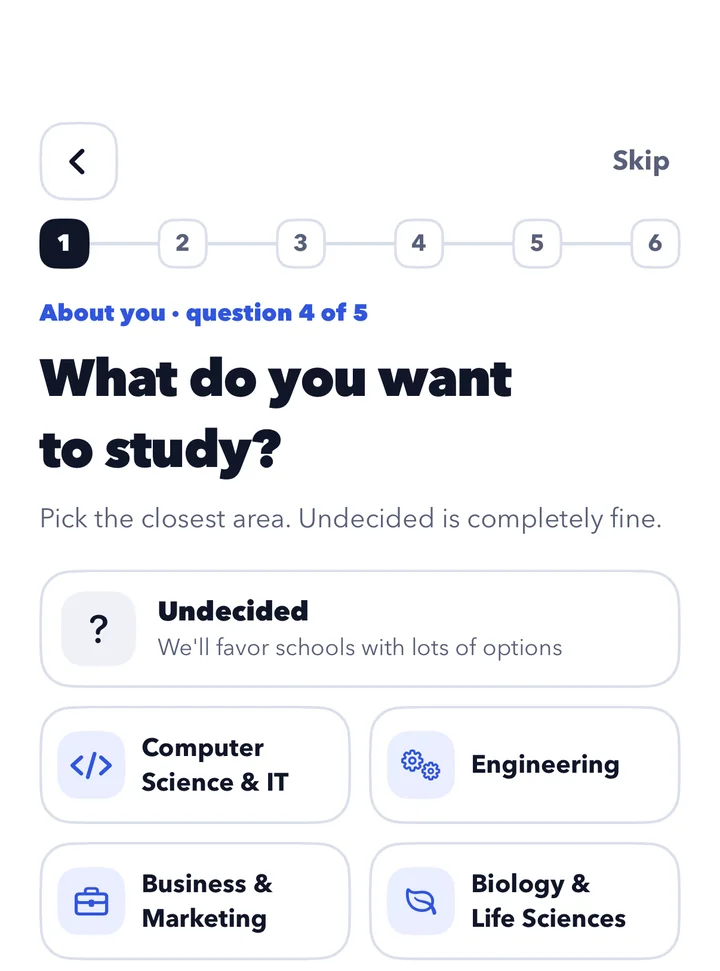
Grades, test scores, activities, the major you're thinking about, where you'd like to be and what your family can pay. Skip any question. No account needed.
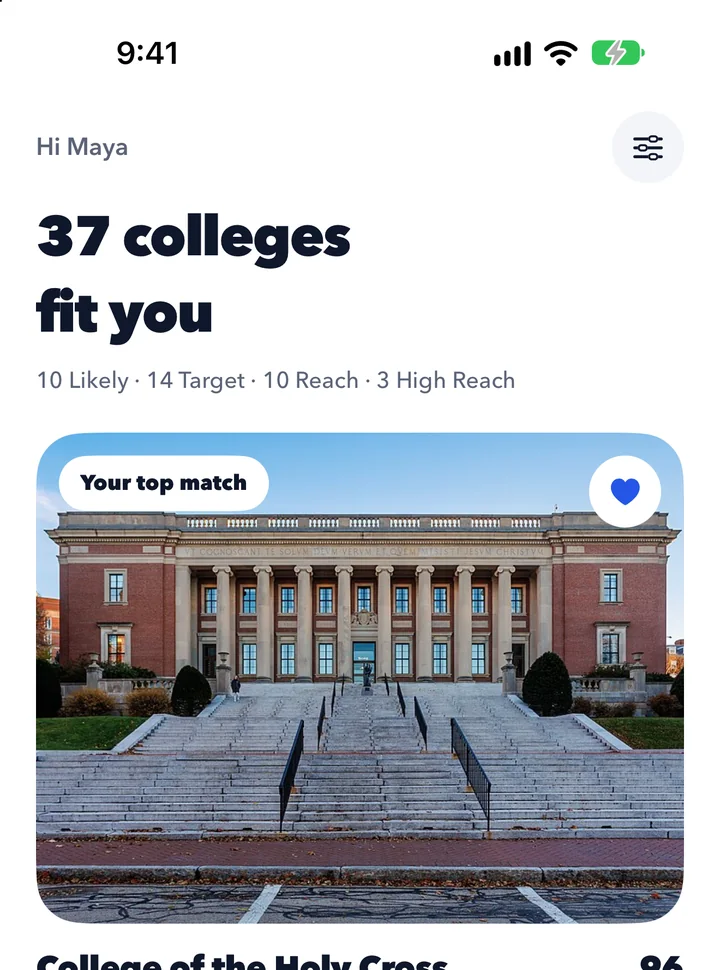
CampusFit compares you with 1,771 four-year colleges and keeps the ones that fit. Each gets a fit score out of 100 and a label: Likely, Target, Reach or High Reach.
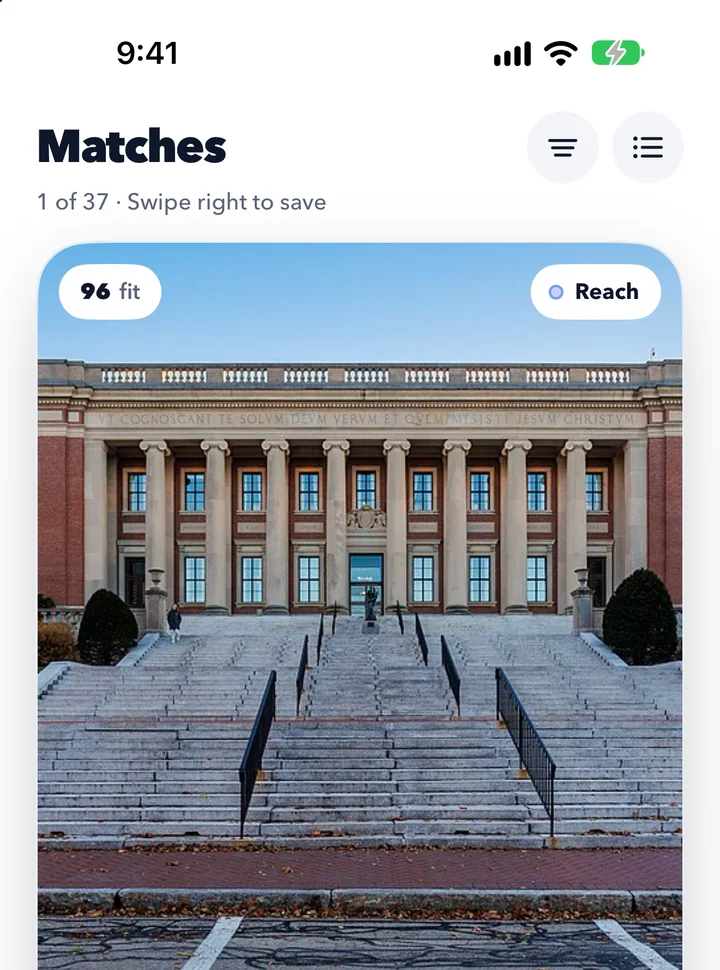
Go through them one at a time: right to save, left to pass, tap to read more. Then track deadlines, essays and recommendations for the ones you apply to.
The survey is free. Seeing your list and using the tools needs CampusFit Premium: $49.99 a year after a 14-day free trial, or $9.99 a month. What it costs
Every college is laid out the same way, so two schools are easy to weigh against each other.
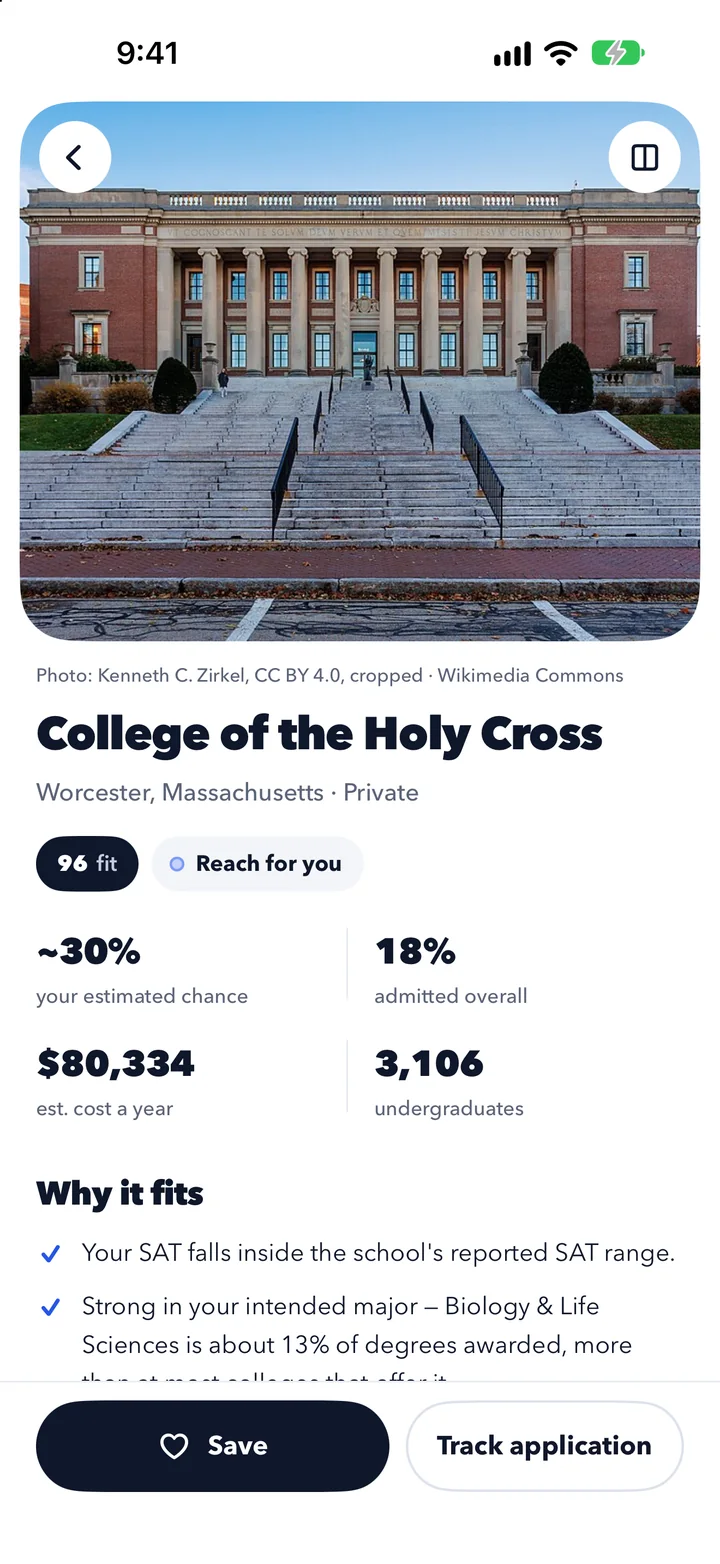
Each college gets a label and a number: your estimated chance of admission. It starts from the college's own admit rate and moves with how your grades, scores, class rank, activities and home state compare with what the college reports.
It is worked out from publicly reported figures. It does not predict or guarantee any admissions decision.
Where fewer than one in five applicants get in, the label is never better than Reach, and the number is never more than three times the college's own admit rate.
From 10% up it is shown to the nearest 5, so it doesn't look more exact than it is.
This is the app's what-if simulator, run for the sample student. Each dot is one of the 37 schools on Maya's list. Move the score and watch them re-sort.
At 1320, where the score is today, the 37 schools sort like this.
Likely 10
Target 14
Reach 10
High Reach 3
A dot's colour is its label today. Its row is its label at the score you pick.
2 of Maya's 3 High Reach schools stay High Reach even with a 1600. A score can't move everything.
In the app you can change GPA, course load and activities too, and nothing is saved unless you choose to.
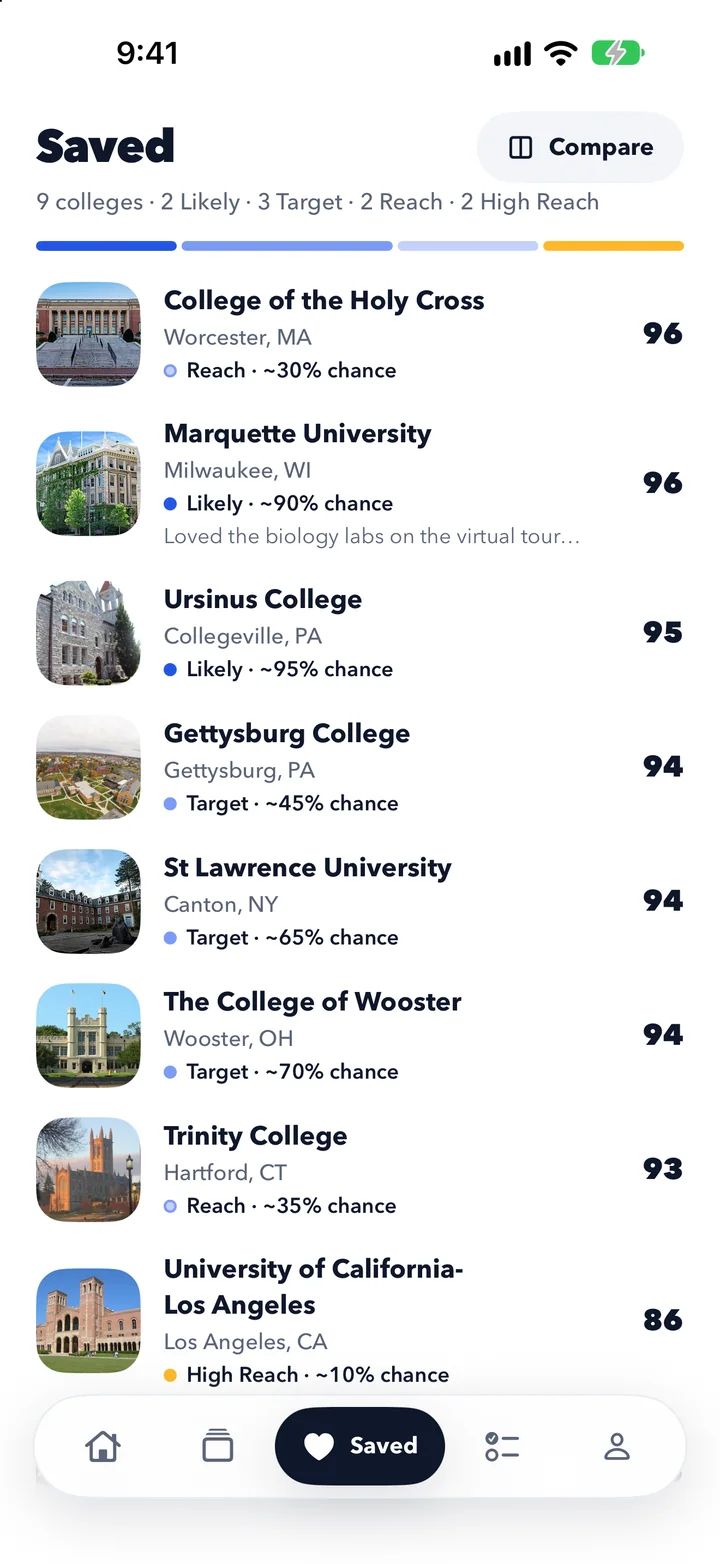
Saved colleges are counted by label, so you can see whether your list leans too safe or too ambitious.
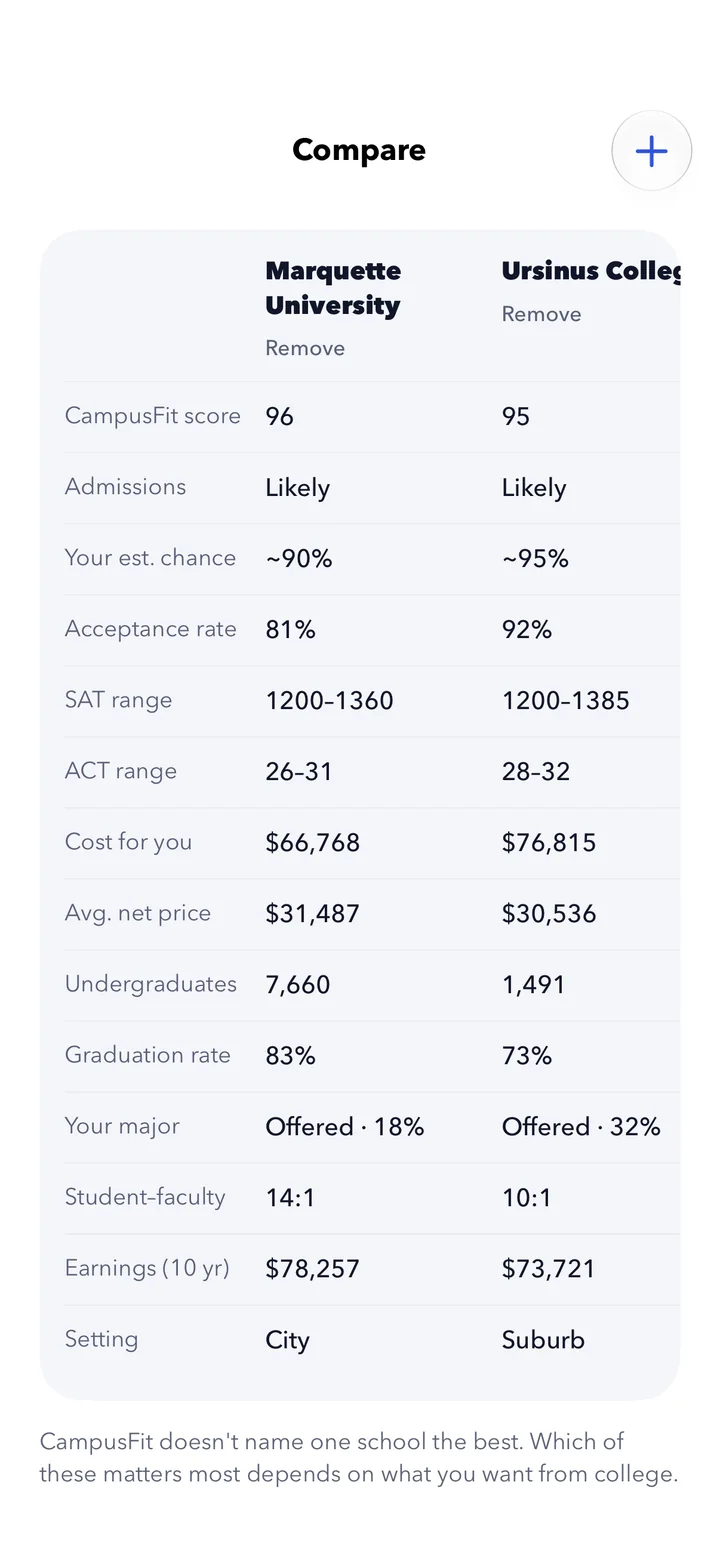
Admit rates, test ranges, cost for you, graduation rate and earnings ten years on, in one table.
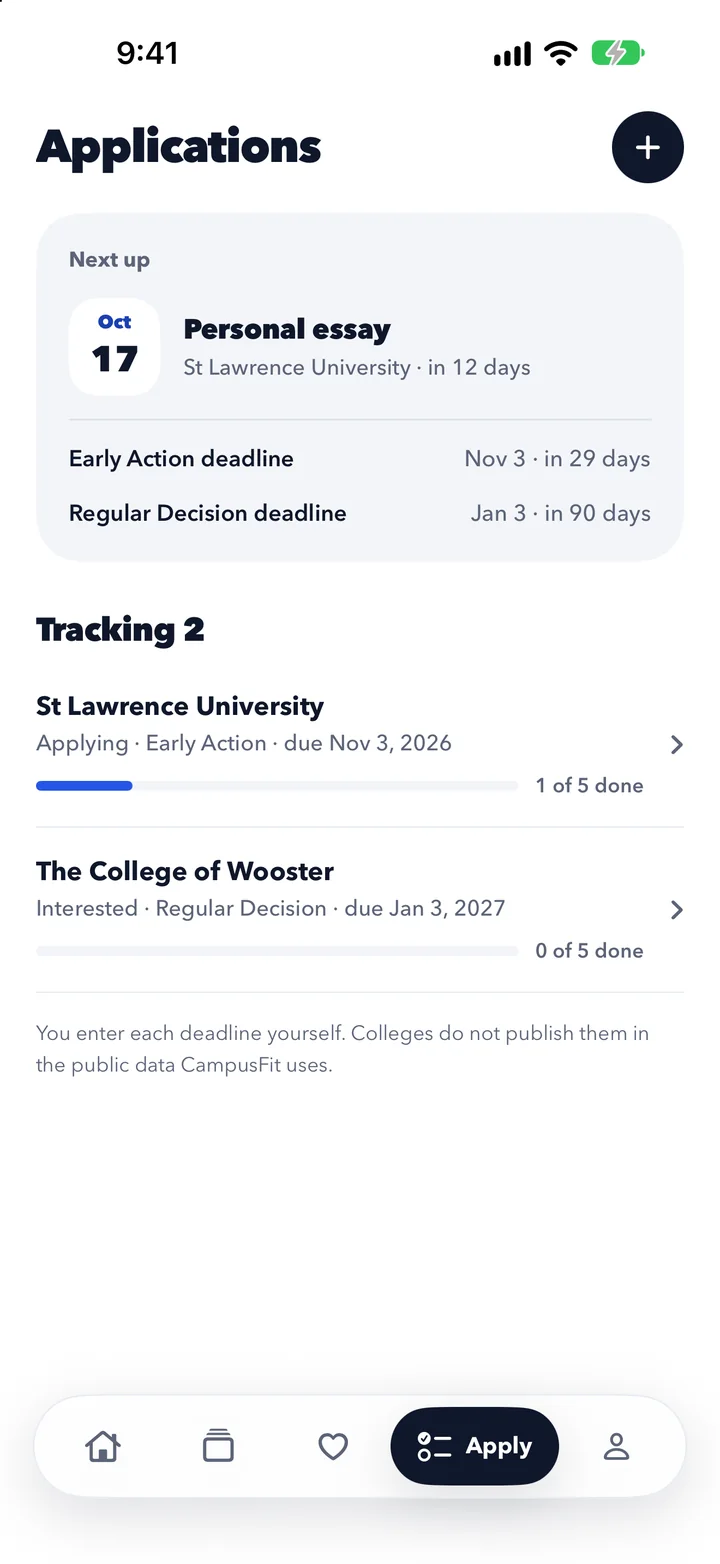
Enter each application's plan and deadline, then tick off essays, recommendations and aid forms.
Labels and estimated chances are estimates from publicly reported figures. Nothing in the app predicts or guarantees a decision.
The fit score is about you, so the same college scores differently for different students. CampusFit never names one school the best.
College figures come from the U.S. Department of Education's College Scorecard. Where a college didn't report a figure, the app says so.
No ads, and nothing is sold. Without an account, your answers and your list never leave your phone.
The survey is free and needs no account. Your list and the tools need CampusFit Premium, which you buy in the app through Apple.
$49.99a year, about $4.17 a month
First 14 days free
$9.99a month
No free trial
The free trial is for new subscribers on the yearly plan. After it, the plan renews at $49.99 a year until you cancel.
Cancel any time on your iPhone in Settings, your name, Subscriptions. Prices are in U.S. dollars and may differ in other countries.
The survey is free and needs no account. Seeing your matches and using the tools needs CampusFit Premium: $49.99 a year with a 14-day free trial for new subscribers, or $9.99 a month.
No. It is an estimate worked out from each college's published admit rate and score ranges and from your own answers. It is rounded, it is held down at selective colleges, and it is called an estimate everywhere it appears. Admissions offices weigh things no app can see.
From the U.S. Department of Education's College Scorecard, which publishes what colleges report to the federal government. When a college didn't report a figure, CampusFit says so and does not fill it in.
1,771 four-year colleges in the United States, public and private non-profit.
You don't need an account. Without one, your answers, matches, saved colleges and notes stay on your phone. An account is optional and only backs them up. You can export or delete everything from Profile in the app. The full detail is in the Privacy Policy.
Subscriptions are billed by Apple. On your iPhone open Settings, tap your name, then Subscriptions, and choose CampusFit. Deleting the app does not cancel a subscription. There is more on the Support page.
Not at the moment. CampusFit is an iPhone app.
High-school students in the United States, aged 13 and older. Parents and counsellors can sit alongside.



.jpg)


